50+ Integrations Available

Security that fits
your workflow.

AquilaX connects to the tools your team already uses. From your source control to your ticket tracker to your Slack channel — security findings flow where your team works.

Connects with
GitHub GitLab Jira Slack
AquilaX Security Hub 🐙 GitHub 🦊 GitLab 🔵 Jira 🏗️ Jenkins 💬 Slack 🐳 Docker 🪣 Bitbucket
50+ integrations available
In The Dashboard

Connect your Git provider.

GitHub, GitLab, Azure DevOps, Bitbucket — connect once, scan every repository.
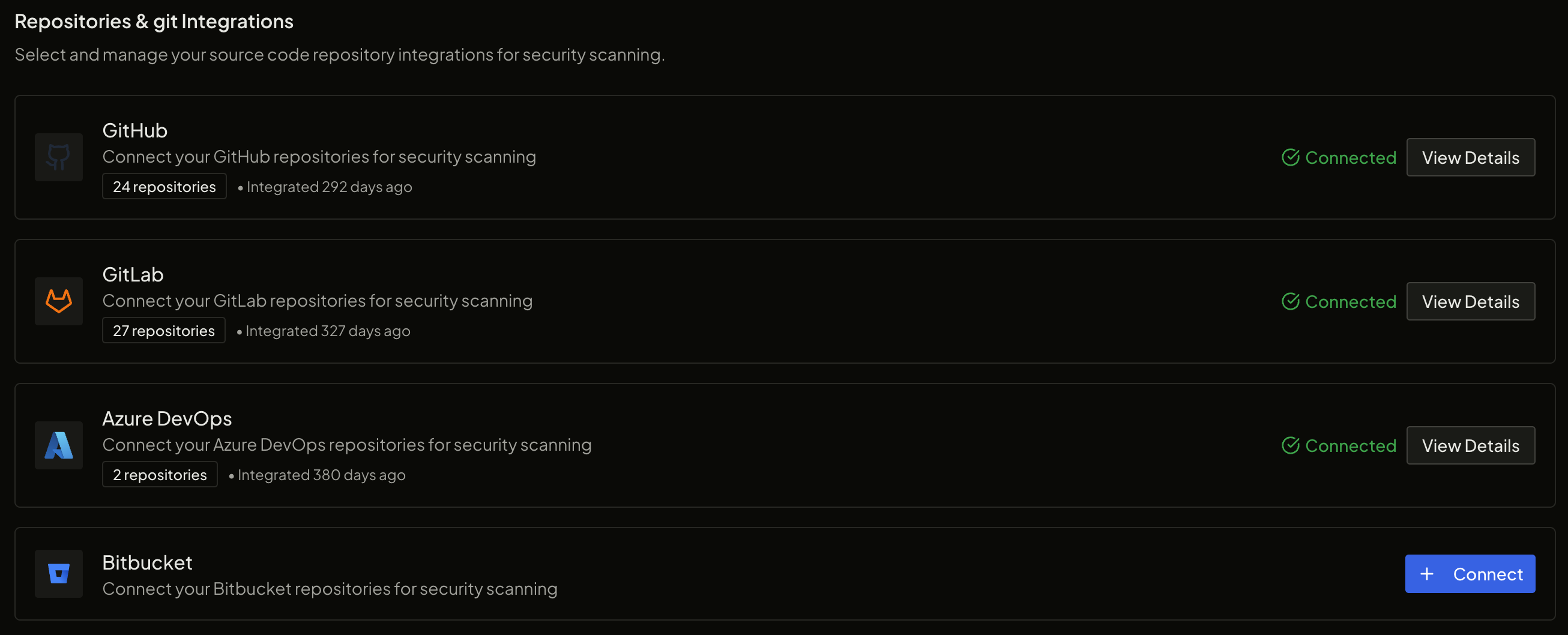
Repository and Git integrations page showing GitHub, GitLab, Azure DevOps, and Bitbucket connection status
Repository counts and connection status for every provider, at a glance.

Up and running in minutes

Connect → Scan → Fix. No configuration required.

1

Connect

OAuth connect your GitHub, GitLab, or Bitbucket account. AquilaX gets read-only access to your repositories.

2

Configure

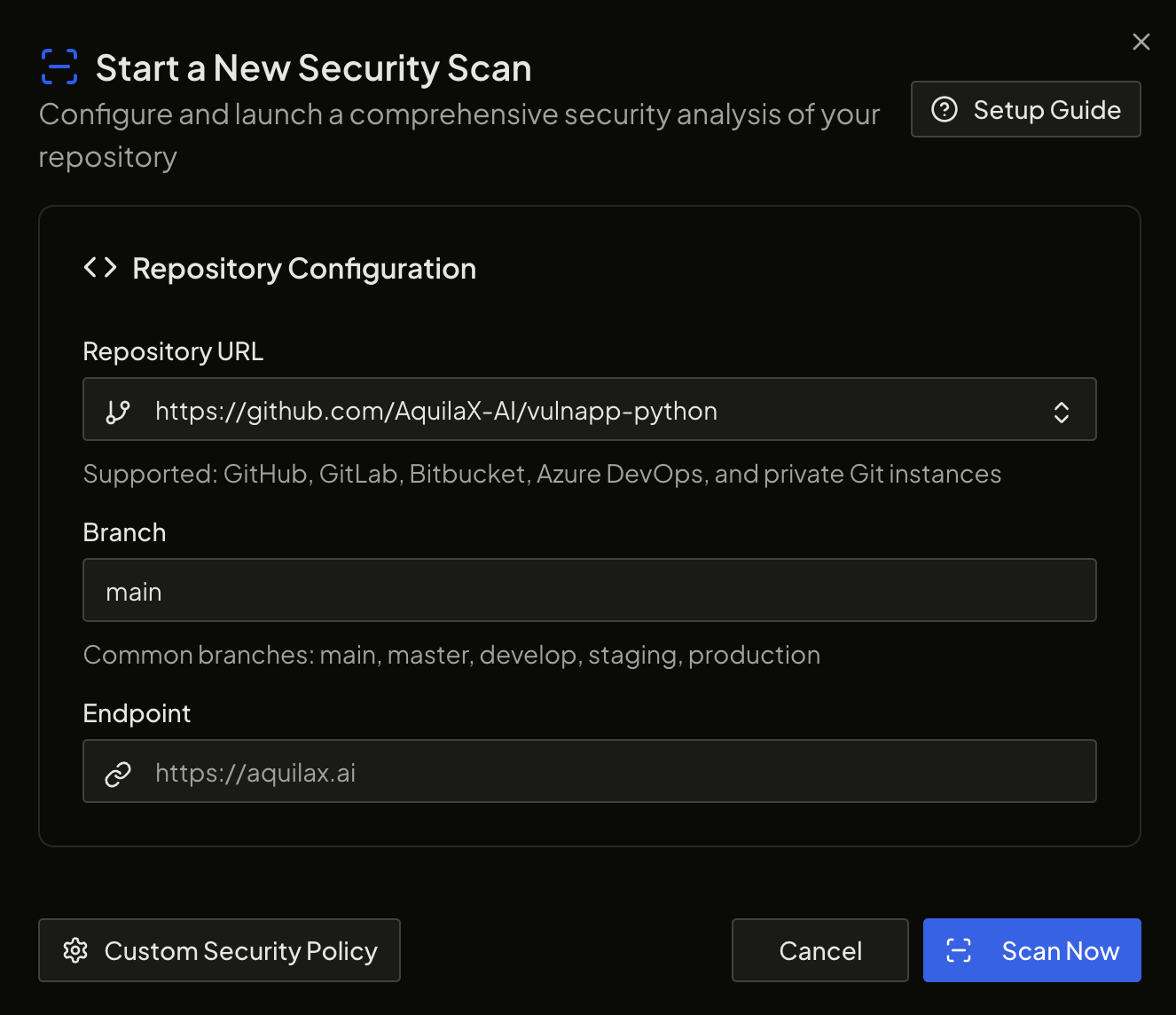
Select which repos to scan, set scan frequency, configure CI/CD gate thresholds. Takes 3 minutes.

3

Scan

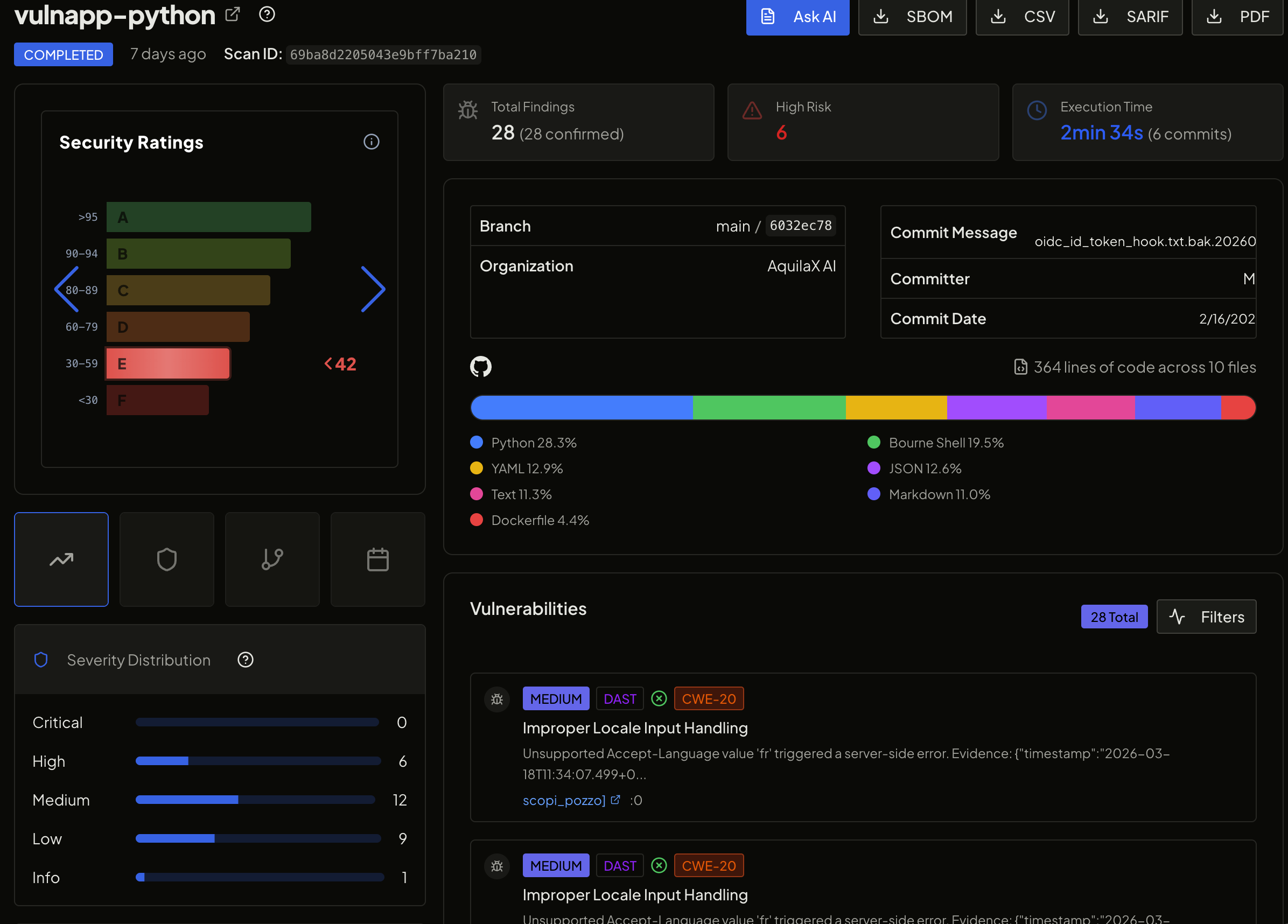
32 scanners run in parallel. Securitron AI analyzes findings and filters noise. Results in minutes.

4

Fix

Findings flow to Jira, GitHub Issues, or Slack. Developers get actionable alerts with remediation guidance.

Connect your entire stack

📦

Source Control

Scan repositories automatically on every push, PR, or schedule

🐙
GitHub
OAuth + GitHub Actions
🦊
GitLab
OAuth + GitLab CI
🪣
Bitbucket
OAuth + Pipelines
🔷
Azure Repos
OAuth + Azure Pipelines
⚙️

CI/CD Pipelines

Block vulnerable code from reaching production with pipeline gates

🐙
GitHub Actions
YAML Action
🦊
GitLab CI
.gitlab-ci.yml
🏗️
Jenkins
Jenkinsfile Step
🔷
Azure Pipelines
YAML Task
🔄
CircleCI
Orb Integration
🪣
Bitbucket Pipelines
Pipe Step
🏃
TeamCity
Build Step
💻
CLI
Any pipeline
🎫

Issue Tracking

Security findings automatically become developer tickets

🔵
Jira
Auto-create issues
🟣
Linear
Auto-create issues
🐙
GitHub Issues
Auto-create issues
🔷
Azure Boards
Work item creation
📋
Webhooks
Any issue tracker
🔔

Notifications

Get alerted where your team communicates

💬
Slack
Channel alerts
💼
Microsoft Teams
Channel alerts
📧
Email
Digest + real-time
🔗
Webhooks
Custom endpoints
📱
PagerDuty
Critical alerts
🐳

Container Registries

Scan images before they're pulled or deployed

🐳
Docker Hub
Registry scan
🟠
AWS ECR
Registry scan
🔵
Google GCR
Registry scan
🔷
Azure ACR
Registry scan
🦊
GitLab Registry
Registry scan
💻

IDE & Developer Tools

Catch issues before they're committed — in the editor

🔵
VS Code
Extension
🟠
JetBrains
Plugin (all IDEs)
⌨️
CLI Tool
Any workflow
🔌
REST API
Custom integrations
📊

SIEM & Reporting

Feed security findings into your enterprise monitoring stack

🔍
Splunk
Log forwarding
🟠
Elastic SIEM
Log forwarding
📋
PDF Reports
Compliance export
📊
CSV Export
Bulk findings
🔗
Webhooks
Any SIEM
REST API

Build custom integrations

AquilaX's REST API gives you full programmatic access to scans, findings, and security ratings. Build AquilaX into your internal developer portal, your compliance tooling, or your custom security dashboards.

  • Trigger scans programmatically
  • Retrieve findings in JSON or CSV
  • Query Security Ratings per repo
  • Webhooks for real-time events
  • Full API documentation available
Read API Docs →
Example: Trigger a scan via API
curl -X POST \
  https://aquilax.ai/v1/scans \
  -H "Authorization: Bearer {token}" \
  -H "Content-Type: application/json" \
  -d '{"repo": "org/my-app", "branch": "main"}'

// Response
{ "scan_id": "scn_4f8a2c", "status": "running", ... }

Integrations in action

AquilaX GitHub integration scan results

Scan triggered via GitHub Actions CI/CD pipeline

AquilaX security findings in dashboard

Security findings with Jira ticket creation

AquilaX compliance report integration

Compliance reports generated and shared automatically

Not Seeing Your Tool?

We add integrations
based on customer requests.

Tell us what tools you use and we'll prioritize the integration. Most integration requests are shipped within 2–4 weeks.
Start Integrating → Request an Integration